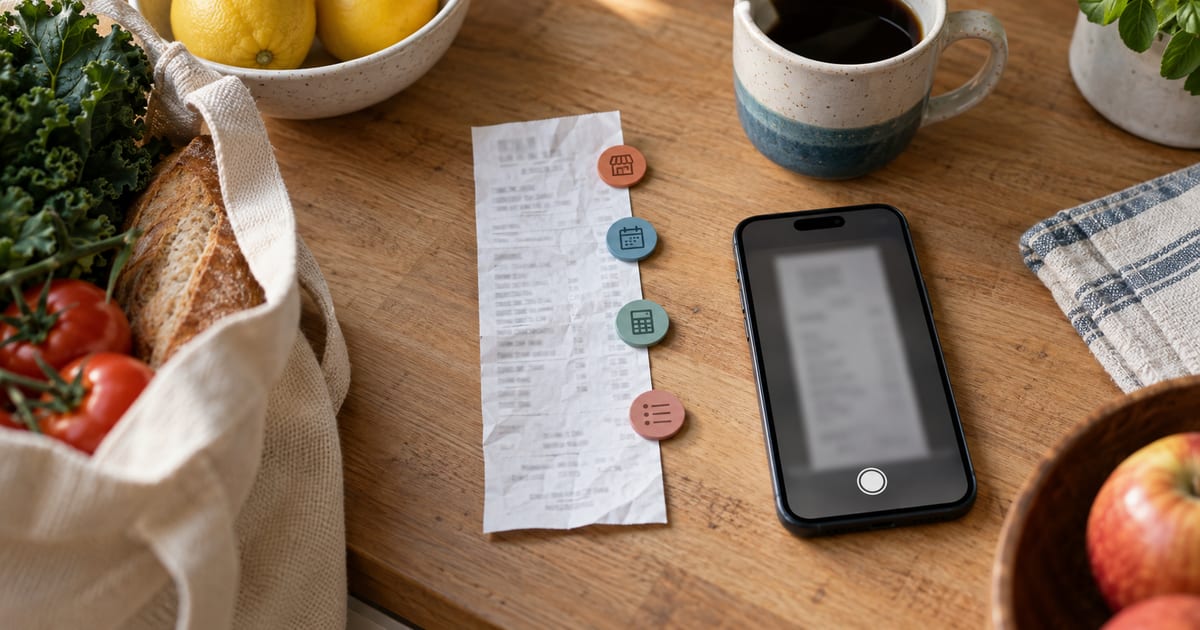
What to Check Before Saving a Scanned Receipt
Review the merchant, date, total and line items extracted from a household receipt before turning the draft into a saved payment.
Scanning a receipt can remove much of the typing, but it cannot remove the need to check the result. A folded corner can hide a date, a discount can look like a purchase, and a subtotal can be mistaken for the final amount.
Treat the scan as a draft. Compare every important field with the receipt before it becomes part of the household record.
Capture evidence the scan can actually read
Flatten the receipt and use even light. Include the merchant name, purchase date, final total and every line item you want recorded. Avoid fingers, shadows and glare across the figures.
For a long or double-sided receipt, take several views of the same receipt rather than mixing documents. One image might show the header and another the lower line items and total. Check that adjacent images overlap enough to establish that they belong together.
Do not upload unrelated receipts in one scan. If a supermarket receipt and a pharmacy receipt are separate purchases, process them separately even if they were paid from the same account.
Retain the original paper or digital receipt according to your practical, legal or warranty needs. A structured household record helps with organisation, but it is not automatically a substitute for proof of purchase. Our guide to organising household receipts covers naming, storage and retention; this guide focuses on checking the extracted payment draft.
Confirm the merchant before anything else
Read the suggested merchant against the receipt header, address and transaction context. A brand, franchise and payment processor can produce different names, and a familiar logo does not prove which legal or trading entity issued the receipt.
If the household already has the correct provider or merchant record, choose it. Create a new one only when the receipt genuinely represents a different merchant. That avoids fragmenting later history between “Green Market”, “Green Market City” and an accidental duplicate.
If no merchant is visible, do not guess. Obtain a clearer image or enter the payment manually using evidence from the receipt and payment account. A plausible suggestion is still only a suggestion.
Check the purchase date carefully
Receipts may show several dates: purchase time, order date, collection date, refund date or card-processing date. Use the date that describes the purchase represented by the record.
Numeric dates can be ambiguous. 05/08/2026 could mean 5 August or 8 May depending on the receipt's convention. Use the language, address, nearby text and original transaction to resolve it. If you cannot, do not silently choose the interpretation that fits the budget best.
The purchase date and the date money appears in a bank account may differ. That is normal. Preserve the receipt date in the payment draft and use the bank statement separately when reconciling the cleared transaction.
Find the final total, not the loudest number
A receipt can show a subtotal, tax, discount, deposit, amount tendered, change and final total. Identify the amount actually charged after additions and reductions.
Suppose the lines are:
- goods: €47.50;
- reusable-container deposit: €2.00;
- promotion: -€5.00; and
- final total: €44.50.
The saved payment total should be €44.50. Using €49.50 before the promotion would overstate spending; using the €5.00 discount alone would be obviously incomplete.
Compare the final total with the card or account transaction where available. A difference may have an innocent explanation, such as a tip added later or a partial refund, but it should be explained rather than hidden.
MoneyHelper recommends using bills, bank statements or a banking app to make budget figures realistic (MoneyHelper Budget Planner). The receipt explains the purchase; the payment account helps confirm what cleared.
Reconcile every extracted line item
Add the extracted line items and compare their sum with the final receipt total. If they differ, look for:
- a missing discount or voucher;
- a deposit, service fee or delivery charge;
- a quantity that was read as a unit price;
- a negative line interpreted as positive;
- a tax line counted twice; or
- an accidental duplicate row from overlapping images.
Correct the rows rather than forcing the total to match. If the receipt shows three items at €6 each, a line of €6 may be the unit price while €18 belongs in the payment record.
Some receipts do not provide usable item detail. In that case, a simple total can be more accurate than invented line items. Use the description on the receipt or a clear household label, and keep the original evidence for later questions.
Review household decisions separately from extraction
The scan can read printed details, but it cannot decide whether the purchase is Household or Personal, whether one item should be excluded from sharing, or which member an item belongs to. Those are household decisions.
First make the receipt accurate. Then decide:
- whether the whole payment is shared or personal;
- which category fits the purchase;
- who actually paid;
- whether any item is excluded from the household total; and
- whether a line belongs to a particular member.
Do not alter item amounts to make a preferred split work. Preserve the real receipt, then apply the agreed scope and assignments to it.
For a detailed method of dividing one shopping receipt, see how to split a shared shopping receipt fairly. This article stops earlier: it makes sure the source payment is correct before any fair-share calculation relies on it.
Check paid status and payer
A receipt usually indicates that a purchase took place, but confirm the actual payment state. A declined transaction, cancelled order or pending authorisation should not automatically become a completed household payment.
For a paid household purchase, identify the member who paid. That fact can affect later household calculations. The person holding the receipt is not necessarily the payer, and the payer is not necessarily the person who should bear the whole cost.
Keep reimbursements separate. If Sam paid €44.50 and Alex later transfers €20, the receipt payment remains €44.50. The €20 is a settlement between household members, not another line on the merchant receipt.
How Billum supported receipt review at publication
As at 26 May 2026, Billum accepted a JPEG, PNG, WebP image or PDF for a receipt scan. A user could provide up to four files showing the same receipt, with a limit of 10 MB per file and 20 MB in total. The service checked visible evidence for the merchant, purchase date, total and any extracted line items, and rejected scans where required evidence was missing, uncertain or inconsistent across files.
A successful scan returned a payment draft; it did not immediately create a saved payment. If the merchant matched an existing recipient, Billum could use that record. Otherwise the user had to choose an existing recipient or continue with the suggested merchant.
The draft then opened in the normal payment form. The user could review and edit scope, merchant, category, dates, simple total or itemised amounts, paid status and payer. For a household payment, line items could also be excluded or assigned to members. When extracted line items were present, their sum had to match the receipt total within the supported tolerance before the payment could be saved.
Billum's scan used automated extraction and evidence checks, but it did not guarantee that the commercial meaning of every printed line was correct. It did not verify a bank transaction, determine whether a purchase should be shared or keep the uploaded file as a replacement for the original receipt. The final review and decision remained with the user.
Use a final pre-save checklist
Before selecting Add Payment, confirm:
- every uploaded file belongs to the same receipt;
- the merchant matches the receipt;
- the purchase date is unambiguous;
- the final total is the amount actually charged;
- line items add up, including discounts and fees;
- Household or Personal scope is intentional;
- the category, paid status and payer are correct; and
- any exclusions or member assignments reflect an agreed rule.
Scanning should make accurate entry faster, not make uncertain data look authoritative. Keep the scan as a draft until the receipt, the arithmetic and the household context all agree.
Open Billum to scan a receipt and review the payment draft before saving it.